
Choosing between the iPad Air vs iPad Pro in 2025 isn’t as simple as picking the cheaper or more expensive option. Apple has narrowed the gap between these two models, making the decision depend on how you actually plan to use your iPad.
In this detailed comparison, we’ll break down performance, display, features, battery life, pricing, and best use cases so you can confidently decide whether the updated iPad Air or iPad Pro is right for you.
iPad Air vs iPad Pro: Key Differences at a Glance
The iPad Air is designed for users who want powerful performance at a reasonable price. The iPad Pro is built for professionals, creatives, and power users who need top-tier hardware and display technology.
While both models support Apple Pencil and keyboard accessories, their real differences appear in display quality, processing power, and advanced features.
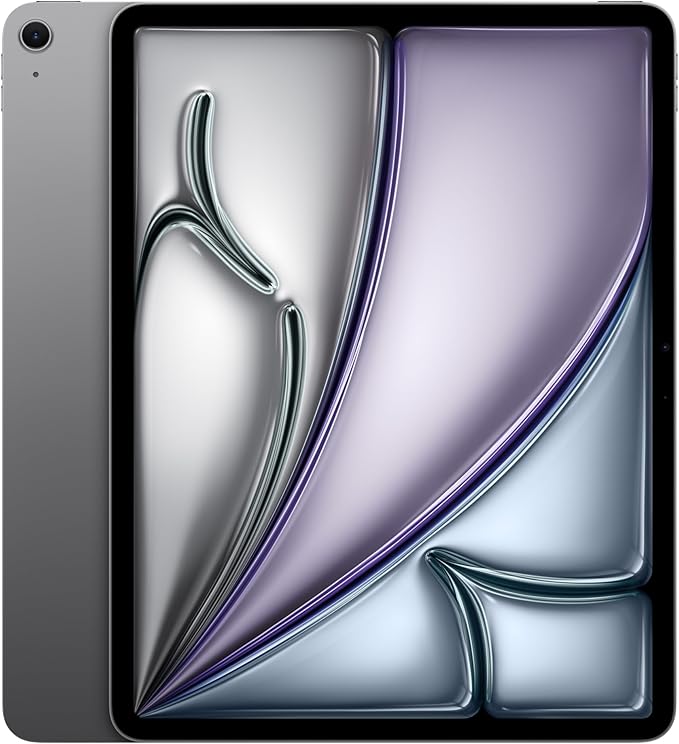
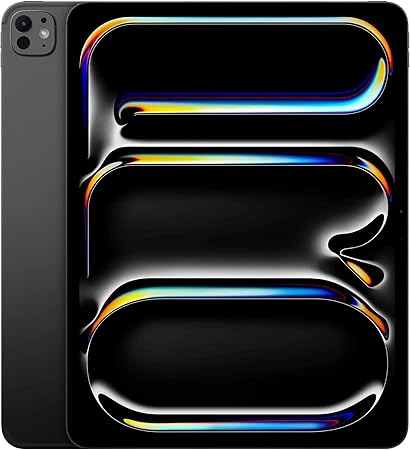
Performance Comparison: iPad Air vs iPad Pro
iPad Air Performance
The latest iPad Air features an Apple M-series chip, delivering fast and efficient performance for most users. It handles:
- Multitasking
- Streaming and browsing
- School and office work
- Light photo and video editing
- Digital drawing and note-taking
For everyday tasks and creative hobbies, the iPad Air performs exceptionally well.
iPad Pro Performance
The iPad Pro uses Apple’s most powerful iPad chip, offering significantly better performance for demanding workloads such as:
- Professional video editing
- Large design files
- Music production
- 3D modeling
- Running multiple pro apps simultaneously
If you’re searching for “best iPad for everyday use,” the iPad Air is ideal. If you need the “best iPad for professionals,” the iPad Pro stands out.
Display Quality: iPad Air vs iPad Pro
iPad Air Display
The iPad Air features a Liquid Retina display that is sharp, colorful, and bright enough for most environments. It uses a standard 60Hz refresh rate, which is perfectly fine for browsing, watching videos, and general use.
iPad Pro Display
The iPad Pro offers Apple’s most advanced display technology, including:
- OLED panel (on newer models)
- ProMotion 120Hz refresh rate
- Higher brightness and contrast
This results in smoother scrolling, more responsive Apple Pencil input, and better color accuracy for creative professionals.
The iPad Pro clearly wins for users searching for “best iPad display” or “iPad for graphic design.”
Camera and Advanced Features
The iPad Air includes capable cameras for video calls, document scanning, and casual photography.
The iPad Pro adds professional-level features such as:
- LiDAR scanner for depth sensing
- Enhanced portrait and video capabilities
- Better support for augmented reality apps
These features matter most to creators, architects, designers, and users working in AR or video production.
Storage and Accessories
Storage Options
- iPad Air: Offers enough storage for most users, including students and casual creators.
- iPad Pro: Available with much higher storage capacities, ideal for large media libraries and professional projects.
Apple Pencil and Keyboard Support
Both models support:
- Apple Pencil (latest generation)
- Magic Keyboard and third-party keyboards
However, the iPad Pro provides a noticeably smoother Apple Pencil experience thanks to its 120Hz display.
(Insert affiliate link to Apple Pencil here)
(Insert affiliate link to Magic Keyboard here)
Battery Life and Portability
Both the iPad Air and iPad Pro offer all-day battery life for normal use. Battery performance varies slightly depending on workload, but most users won’t notice a significant difference.
In terms of portability, both devices are thin, lightweight, and easy to carry, making them excellent options for travel, school, or remote work.
iPad Air vs iPad Pro Price Comparison
Price is one of the most searched differences between these two models.
- iPad Air: More affordable and offers the best value for most buyers.
- iPad Pro: Higher starting price, with costs increasing quickly when adding storage and accessories.
If you don’t need professional features, the iPad Air delivers better value for money.
Which iPad Is Best for You?
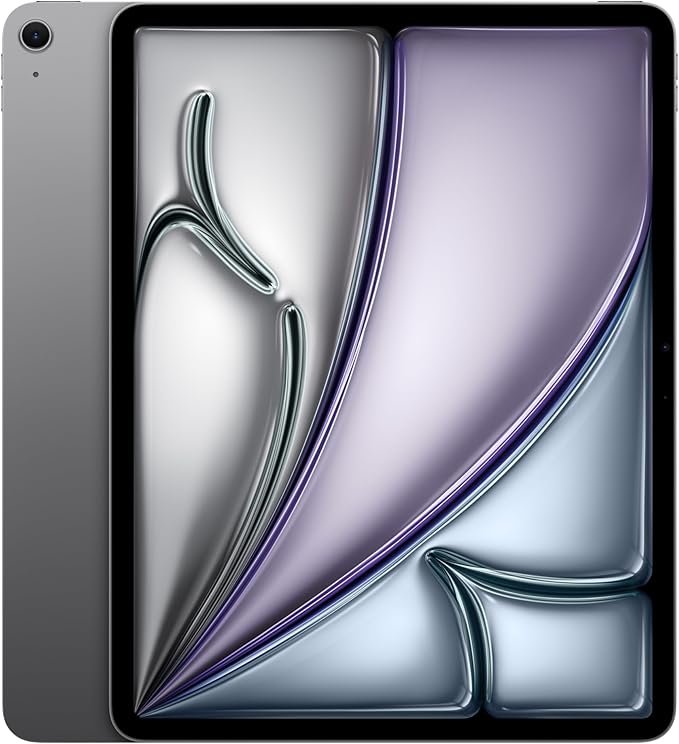
Buy the iPad Air If:
- You want the best iPad for everyday use
- You’re a student, remote worker, or casual creator
- You want strong performance at a lower price
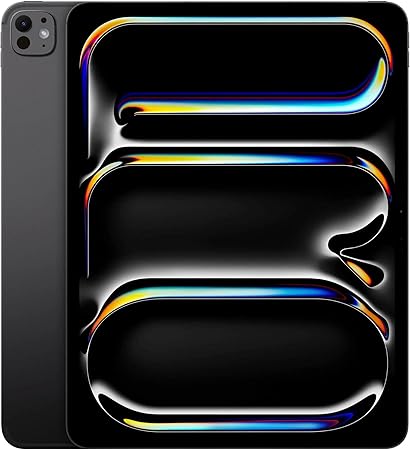
Buy the iPad Pro If:
- You’re a professional creator or power user
- You need the best display and performance
- You want your iPad to replace a laptop
Final Verdict: iPad Air vs iPad Pro (2025)
The iPad Air (2025) is the best choice for most users. It offers excellent performance, a beautiful display, and long battery life at a much more accessible price.
The iPad Pro (2025) is worth it only if you truly need its advanced features. For creative professionals and demanding workflows, it remains the most powerful iPad available.
If you’re still unsure, ask yourself this:
Will I actually use the Pro’s extra power and display every day?
If not, the iPad Air is the smarter purchase.
iPad Air vs iPad Pro Comparison Table
| Feature | iPad Air (2025) | iPad Pro (2025) |
|---|---|---|
| Chip | M-series | Advanced M-series |
| Display | Liquid Retina, 60Hz | OLED, ProMotion 120Hz |
| Performance | Everyday to advanced | Professional |
| Cameras | Standard | Pro cameras + LiDAR |
| Face ID | No | Yes |
| Touch ID | Yes | No |
| Storage | Moderate options | Up to 2TB |
| Apple Pencil | Supported | Best experience |
| Keyboard Support | Yes | Yes |
| Battery Life | All-day | All-day |
| Best For | Students, everyday users | Creators, professionals |
| Price | Lower | Premium |
Check Out Student Productivity Hub’s Latest Posts!

iPad Air vs iPad Pro : Which iPad Should You Buy?
Choosing between the iPad Air vs iPad Pro in 2025 isn’t as simple as picking…
Best iPad for School? My 13-Inch iPad Student Review

Desk Setup on a Budget: A Guide For All Students
Creating a productive study space doesn’t have to cost a fortune. With a little planning,…
Best Notebooks and Planners for STEM Students to Stay Organized
Staying organized is half the battle in university- especially STEM courses. The right notebook and…
GoodNotes vs OneNote vs Notability: A Complete Comparison of the Best Note-Taking Apps for Students
Taking effective notes is a game‑changer in college, especially in technical majors like engineering. Digital…

5 Study Tips That Actually Work for Engineering Students
5 Study Tips That Actually Work Engineering school can be tough, and studying efficiently is…